
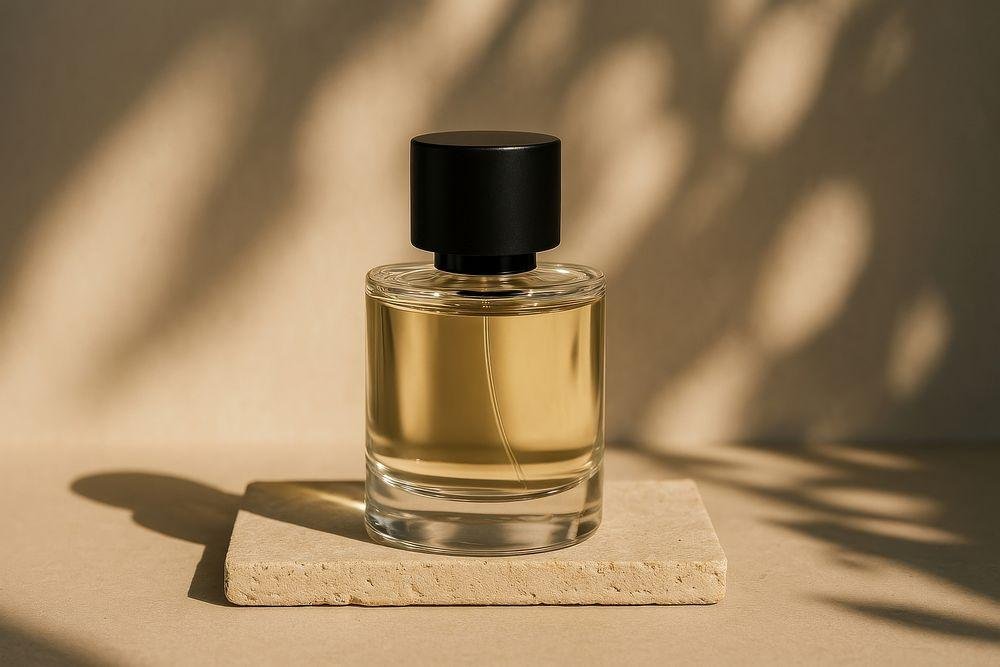
Professional product photography helps customers understand how an item looks, feels, and fits into everyday life. Good lighting, thoughtful composition, and accurate product details can make a simple photograph more appealing.
However, creating different studio setups for every product can be expensive and time-consuming. Artificial intelligence image editing tools offer another approach by allowing creators to describe backgrounds, lighting, and visual styles through written instructions.
With carefully written AI product photography prompts, you can experiment with minimalist backgrounds, luxury lighting, lifestyle settings, and creative product displays.
The challenge is maintaining accuracy. An attractive product image becomes unreliable if AI changes the packaging, logo, material, shape, or other important product features.
In this guide, you will discover 12 practical AI product photography prompts for different products and learn how to improve realism, preserve product details, and prepare photographs for digital content.
What Are AI Product Photography Prompts?
AI product photography prompts are written instructions used with compatible image generation or image editing applications to create product-focused visuals.
A prompt can describe:
- The product and its appearance.
- The type of background.
- Lighting direction and intensity.
- Camera angle and framing.
- Surface materials and reflections.
- Photography style and atmosphere.
- Details that must remain unchanged.
For example, a basic instruction might be:
“Make this perfume photo look professional.”
A more detailed instruction would be:
“Preserve the uploaded perfume bottle exactly, including its shape, label, cap, color, and proportions. Place it on a matte beige studio surface with soft directional lighting, a realistic contact shadow, clean composition, and professional commercial photography quality.”
The second prompt gives a clearer visual direction and explains the features that should remain accurate.
AI tools do not always follow instructions perfectly, so every generated or edited image should be reviewed.
Why Use AI for Product Photography?
AI-assisted editing can be useful when you want to test different visual presentations without rebuilding a physical photography setup each time.
Common applications include:
- Exploring different product backgrounds.
- Creating visual concepts for marketing campaigns.
- Testing lighting and color combinations.
- Preparing social media product visuals.
- Experimenting with lifestyle photography settings.
- Developing mood boards and creative directions.
AI can support the creative process, but it does not automatically replace the need for accurate product photography.
For online stores, product images should represent the actual item truthfully.
Before You Start: Prepare a Good Product Photo
If you are editing an existing product photograph, start with a clear source image.
Your original photograph should ideally have:
- A sharp and recognizable product.
- Accurate colors and proportions.
- Visible branding or label details.
- Minimal motion blur.
- Sufficient resolution.
- Lighting that shows the product clearly.
A plain background often makes the product easier for an image editor to identify.
For the best results, photograph the real product from multiple angles before experimenting with creative backgrounds.
1. Minimalist Beige Studio Product Prompt
A neutral beige background creates a clean and refined visual appearance.
This style works well for skincare, perfumes, beauty accessories, and lifestyle products.
Copy-paste prompt:
“Edit the uploaded product photograph into a realistic minimalist studio image. Preserve the exact product shape, dimensions, material, label, logo, colors, packaging details, and proportions. Place the product on a matte beige surface with a matching warm-neutral background. Add soft directional studio lighting from the upper left, a natural contact shadow, subtle depth, and realistic photographic texture. Keep the composition clean with sufficient negative space. Do not redesign the packaging, alter the printed text, or introduce unnecessary objects.”
Best for: Skincare bottles, perfumes, cosmetics, and personal care products.
Editing tip: Use a slightly different tone for the surface and background to keep the product visually separated.
2. Luxury Perfume Product Photography Prompt
Luxury perfume photography often uses elegant lighting, controlled reflections, and simple compositions.
Copy-paste prompt:
“Transform the uploaded perfume bottle photograph into a premium commercial product image. Preserve the exact bottle design, glass transparency, liquid color, cap shape, label typography, and brand details. Position the bottle on a dark polished stone surface with a subtle reflection. Use a soft key light and restrained edge lighting to reveal the glass contours. Create realistic highlights, accurate transparency, and a believable contact shadow. Keep the background elegant and uncluttered. Do not change the bottle, invent text, or add unrealistic decorative effects.”
Best for: Perfume advertisements, luxury product concepts, and fragrance photography.
Editing tip: Glass objects need realistic reflections. Avoid excessive glow that hides the bottle’s actual shape.
3. Natural Skincare Product Photography Prompt
Skincare photography often benefits from soft natural light and neutral colors.
Copy-paste prompt:
“Create a realistic skincare product photograph using the uploaded product as the exact reference. Preserve the original bottle, cap, label, brand text, shape, and colors. Place it on a clean off-white surface near a softly illuminated window. Introduce gentle morning sunlight, subtle natural shadows, and a minimal background with restrained botanical elements. Use professional product photography composition with realistic material textures. Keep the product clearly visible and avoid changing any packaging information.”
Best for: Skincare, serums, moisturizers, and wellness products.
Editing tip: Natural sunlight can create attractive shadows, but the product label should remain readable.
4. Professional E-commerce White Background Prompt
A plain white background is useful for online product listings because it minimizes distractions.
Copy-paste prompt:
“Edit the uploaded product photo into a clean and accurate e-commerce catalog image. Preserve the product’s exact physical appearance, dimensions, colors, material, branding, printed text, and visible details. Remove the existing background and replace it with a pure white background. Keep the product centered and fully visible with balanced exposure, sharp realistic edges, and a subtle natural grounding shadow where appropriate. Avoid beauty filters, excessive reflections, artificial textures, product redesigns, or added accessories.”
Best for: Online store listings, product catalogs, and simple commercial photography.
Editing tip: Check the requirements of the specific marketplace before uploading product images. Some platforms have detailed rules about backgrounds and added elements.
5. Watch Product Photography Prompt
Watches include reflective metal, glass, and fine mechanical details that AI can easily distort.
Copy-paste prompt:
“Create a premium studio photograph of the uploaded wristwatch. Preserve its exact dial layout, numerals, hands, logo, strap material, case shape, dimensions, and colors. Position the watch at a natural three-quarter product photography angle on a dark neutral surface. Use carefully controlled studio reflections, soft directional lighting, realistic metal texture, and detailed glass reflections. Maintain sharp focus on the watch face and realistic shadow placement. Do not invent extra buttons, change the time markers, duplicate hands, or alter branding.”
Best for: Watches, fashion accessories, and product advertising concepts.
Editing tip: Always inspect the watch face carefully because AI image tools may change numbers, markers, or hand positions.
6. Sneaker and Footwear Studio Prompt
Footwear photography should show shape, texture, sole details, and construction clearly.
Copy-paste prompt:
“Transform the uploaded shoe photograph into a realistic commercial footwear studio image. Preserve the exact shoe design, sole structure, stitching, laces, logo placement, material, colors, and proportions. Position the product on a smooth light-grey studio surface with soft side lighting and a realistic shadow beneath the sole. Maintain natural fabric and leather textures with clear product details. Use professional advertising photography framing. Do not change the silhouette, introduce additional branding, or redesign any part of the shoe.”
Best for: Sneakers, casual shoes, sports footwear, and fashion product photography.
Editing tip: Compare the edited sole and stitching against the original image before using the result commercially.
7. Jewelry Photography With Elegant Lighting
Jewelry benefits from controlled highlights and precise focus.
Copy-paste prompt:
“Edit the uploaded jewelry product into a high-end commercial studio photograph. Preserve the exact jewelry design, gemstone arrangement, metal color, engraving, proportions, and construction. Display the item on a smooth neutral surface with soft diffused lighting and carefully controlled highlights. Keep the gemstones, reflective metal, and small details sharp and realistic. Add a subtle grounding shadow and clean composition. Do not add gemstones, change the design, alter the engraving, or exaggerate the product’s size.”
Best for: Rings, necklaces, bracelets, and luxury accessories.
Editing tip: Jewelry details are especially important. Do not use an AI edit that incorrectly represents gemstone quantity, quality, or product construction.
8. Coffee Product Lifestyle Photography Prompt
Lifestyle photography places products in believable everyday environments.
Copy-paste prompt:
“Create a realistic lifestyle product photograph featuring the uploaded coffee packaging. Preserve the package dimensions, material, logo, colors, typography, and all visible text exactly. Position the product on a clean wooden café table near a large window with gentle natural daylight. Include a simple ceramic coffee cup in the background, softly out of focus. Maintain realistic perspective, believable shadows, natural reflections, and a warm-neutral color palette. Keep the product clearly readable and avoid changing any printed packaging details.”
Best for: Coffee, tea, packaged food, and café-related product content.
Editing tip: Background objects should support the product rather than become the main subject.
9. Minimal Technology Product Prompt
Electronics often have precise button positions, ports, screens, and surface finishes.
Copy-paste prompt:
“Edit the uploaded electronic product photograph into a clean modern technology advertisement. Preserve the exact device design, ports, buttons, camera positions, screen proportions, branding, materials, and colors. Place the product on a matte charcoal studio surface with soft overhead lighting and subtle edge highlights. Maintain accurate reflections and a believable contact shadow. Use sharp professional product photography with a minimal background. Do not invent features, change specifications, or alter the device’s physical structure.”
Best for: Smartphones, headphones, cameras, accessories, and other electronics.
Editing tip: If the device screen contains text or icons, verify that the AI has not changed them.
10. Cosmetic Product With Water Droplets Prompt
Water can create an attractive fresh-looking product image, especially for waterproof or moisture-related concepts.
Copy-paste prompt:
“Create a realistic commercial cosmetic product photograph using the uploaded bottle as the exact reference. Preserve the original packaging, colors, label, cap, material, and proportions. Position the product on a clean neutral surface with a small number of realistic water droplets around it. Use soft professional studio lighting, natural highlights, accurate reflections, and believable shadows. Keep the composition elegant and the product label fully readable. Do not change the packaging or suggest product properties that have not been verified.”
Best for: Cosmetic product concepts and refreshing visual themes.
Editing tip: Avoid visuals that could imply unverified waterproof, hydrating, or performance claims.
11. Floating Product Advertising Prompt
Floating compositions are creative advertising visuals, but they require consistent perspective and shadows.
Copy-paste prompt:
“Create a realistic conceptual advertising image of the uploaded product gently suspended above a minimal studio platform. Preserve the product’s exact shape, branding, colors, printed text, and physical details. Use a clean light-neutral background, controlled directional lighting, and a subtle shadow on the platform to establish the product’s position. Maintain accurate product perspective, realistic material reflections, and professional commercial photography quality. Do not distort the object, redesign packaging, or introduce unrelated items.”
Best for: Creative advertisements, social media product campaigns, and promotional concepts.
Editing tip: Use floating effects for clearly creative advertising visuals rather than images intended to document a product’s actual appearance or use.
12. Premium Marble Product Display Prompt
Marble and stone surfaces can create a refined atmosphere for premium products.
Copy-paste prompt:
“Transform the uploaded product photo into a luxury studio composition while preserving the exact product dimensions, packaging design, materials, logo, colors, and label information. Position the product on a realistic light marble pedestal with subtle natural veining. Use soft directional lighting, balanced contrast, a warm-white studio background, and accurate contact shadows. Maintain realistic scale and product texture. Keep the composition elegant with generous negative space. Do not add new branding, change the label, or modify the product’s construction.”
Best for: Perfumes, skincare, candles, and premium lifestyle products.
Editing tip: Keep the marble texture subtle so it does not compete with the product packaging.
How to Write Better AI Product Photography Prompts
A useful product photography prompt should describe both the creative changes and the details that must remain accurate.
You can follow this structure:
Product + Preservation Instructions + Background + Lighting + Camera Angle + Surface + Realism Requirements
For example:
“Preserve this skincare bottle exactly. Place it on a beige studio pedestal with soft side lighting, a realistic shadow, gentle highlights, and a clean background. Keep the original label, cap, colors, and proportions unchanged.”
This structure is more specific than a general instruction such as “make it look expensive.”
Describe the Product Clearly
Identify whether the subject is a glass bottle, fabric bag, metal watch, or another object.
Different materials require different lighting and reflection treatment.
Preserve Important Details
Explicitly request that packaging, labels, product shape, material, and branding remain unchanged.
However, text instructions alone cannot guarantee perfect accuracy.
Choose One Main Lighting Style
Simple directional lighting is often easier to keep consistent than several competing light sources.
Use Realistic Surface Materials
Choose surfaces such as matte paper, stone, wood, marble, or polished glass based on the product.
Maintain an Appropriate Camera Angle
A front view is useful for readable labels, while a three-quarter angle may better communicate product shape.
Keep the Background Simple
Avoid adding too many decorative items. Product photography should keep the main item easy to see.
How to Preserve Product Labels and Logos in AI Editing
One of the biggest limitations of AI image editing is the possibility of altering small details.
Even when a prompt requests accurate packaging, an image model may change printed text, logo spacing, shapes, or product proportions.
For better accuracy:
- Start with a high-resolution photograph of the actual product.
- Use background-only or selective editing features when available.
- Protect the product area from unnecessary regeneration.
- Keep the original label and logo visible.
- Compare the output against the original photograph.
- Correct small details using a conventional image editor when necessary.
If exact product representation is essential, it is often better to edit the background while leaving the original product pixels intact.
For additional background editing techniques, explore our Backgrounds category.
Best Lighting Styles for Product Photography
Lighting influences how customers perceive product materials and overall quality.
Soft Studio Lighting
Soft lighting reduces harsh shadows and is useful for skincare, cosmetics, and minimal product images.
Side Lighting
Side lighting adds shape and depth, particularly for textured packaging and rounded objects.
Backlighting
Backlighting can emphasize transparency and contours in glass products.
However, it may also make labels difficult to read.
Natural Window Lighting
Window light can create a relaxed lifestyle appearance.
It works especially well for café products, candles, and handmade goods.
Controlled Reflective Lighting
Reflective products such as watches, jewelry, and electronic devices benefit from carefully positioned highlights.
The goal is to reveal the product’s shape without covering important details.
Product Photography Backgrounds: Which Colors Work Best?
Different background colors communicate different visual moods.
| Background Color | Visual Style | Suitable Products |
|---|---|---|
| White | Clean and simple | E-commerce products |
| Beige | Warm and minimal | Skincare, perfumes |
| Light grey | Professional and neutral | Electronics, accessories |
| Charcoal | Dramatic and premium | Watches, luxury products |
| Soft green | Natural and calm | Wellness products |
| Pale blue | Fresh and modern | Personal care products |
| Warm brown | Earthy and organic | Coffee, candles, crafts |
These combinations are starting points. The best choice depends on the product’s actual colors and intended use.
For more background inspiration, visit the Backgrounds category.
Common AI Product Photography Mistakes
Changing the Original Packaging
An AI-generated image may subtly change the bottle, cap, box, or other packaging components.
Always compare the result with a genuine product photograph.
Incorrect or Invented Labels
Text generation remains imperfect in some image tools.
Do not publish an image with an incorrect brand name, ingredients list, warning, or specification.
Unrealistic Shadows
A product with no appropriate contact shadow may appear to float unintentionally.
Match the shadow direction to the main light source.
Incorrect Product Scale
A product can appear unnaturally large or small when placed near familiar objects.
Keep relative scale and perspective believable.
Excessive Reflections
Strong reflections can hide important details on glass, metal, and polished surfaces.
Use restrained highlights.
Overly Complicated Backgrounds
Busy scenes can distract from the product itself.
A simple environment with thoughtful lighting is often more effective.
Misleading Product Features
AI may add accessories, alter materials, change specifications, or visually imply features the product does not have.
These changes should be corrected before the image is used to represent a real item.
AI Product Photography vs. Traditional Product Photography
Both approaches can be useful, but they serve different purposes.
Traditional product photography captures the real item using a camera, lighting, and physical surfaces.
It is particularly useful when product accuracy, packaging details, and material representation are essential.
AI-assisted product editing can help explore different compositions, lighting styles, and backgrounds based on an existing photograph.
It can also support early advertising concepts and creative planning.
For commercial use, the strongest workflow often combines accurate original product photography with carefully controlled digital editing.
How to Create a Consistent Product Photography Style
Consistency matters when several photographs belong to the same website, product collection, or campaign.
A simple workflow is:
- Choose a background color palette.
- Select a consistent lighting direction.
- Use similar camera angles where practical.
- Maintain believable product scale.
- Preserve original branding and colors.
- Keep shadows and reflections consistent.
- Review all images together before publishing.
For example, a skincare collection might use beige backgrounds, soft window lighting, and subtle natural shadows.
A technology collection might use neutral grey environments, sharp detail, and controlled highlights.
Consistency helps the images feel connected without making every photograph identical.
Responsible Use of AI Product Images
When using AI-assisted imagery for a real product, visual accuracy is important.
Do not alter labels, ingredients, dimensions, certifications, included accessories, or other material product details in ways that could mislead buyers.
Use original product photographs whenever factual representation matters.
If the image is a conceptual advertisement rather than an accurate product listing, present it appropriately.
Also confirm that you have the rights to use the original photographs and that your chosen AI tool permits the intended commercial use.
Frequently Asked Questions
What is an AI product photography prompt?
It is a written instruction describing how an AI application should create or edit a product-focused image, including the background, lighting, camera angle, and visual style.
Can AI create professional-looking product photos?
Compatible AI tools can produce polished product visuals, but the quality and accuracy vary. Important details should always be checked.
Can I preserve my original product packaging?
You can request it, and some selective editing tools can help. However, written prompts alone do not guarantee exact preservation of packaging or printed text.
Which background is best for e-commerce photography?
White or simple neutral backgrounds are commonly useful, but marketplace requirements may vary by platform and product category.
Can I use these prompts on mobile?
Yes, if your chosen AI editing application supports uploaded-image editing on your mobile device.
Do the same prompts work in every AI tool?
Not necessarily. Different applications interpret prompts differently and provide different editing controls.
Can I use AI product photography for social media?
Yes, subject to appropriate rights, accurate representation, platform requirements, and the terms of the AI service.
Why does AI sometimes change product labels?
Image models may reinterpret fine details and text during generation. Masking, selective edits, and manual corrections can reduce this problem.
Should I use AI-generated product photos for online stores?
Use caution. Product listing images should accurately represent the real item and comply with the applicable marketplace rules.
What makes an AI product image look realistic?
Accurate product geometry, consistent lighting, natural shadows, believable materials, correct scale, and restrained editing all contribute to realism.
Final Thoughts
AI product photography prompts can help creators experiment with studio lighting, minimalist backgrounds, lifestyle scenes, and commercial visual concepts.
The most useful prompts do not simply request a beautiful image. They explain exactly how the product should be presented and what must remain unchanged.
Start with a genuine photograph of your product, choose one of the 12 prompts above, and adapt it to your preferred visual style.
Review the result carefully, particularly the product’s shape, label, branding, and materials.
For more practical prompt-writing ideas, visit the AI Prompts category on Daily Inspiration.
You can also explore our Backgrounds category for composition ideas or return to the Daily Inspiration homepage to discover more creative editing resources.