
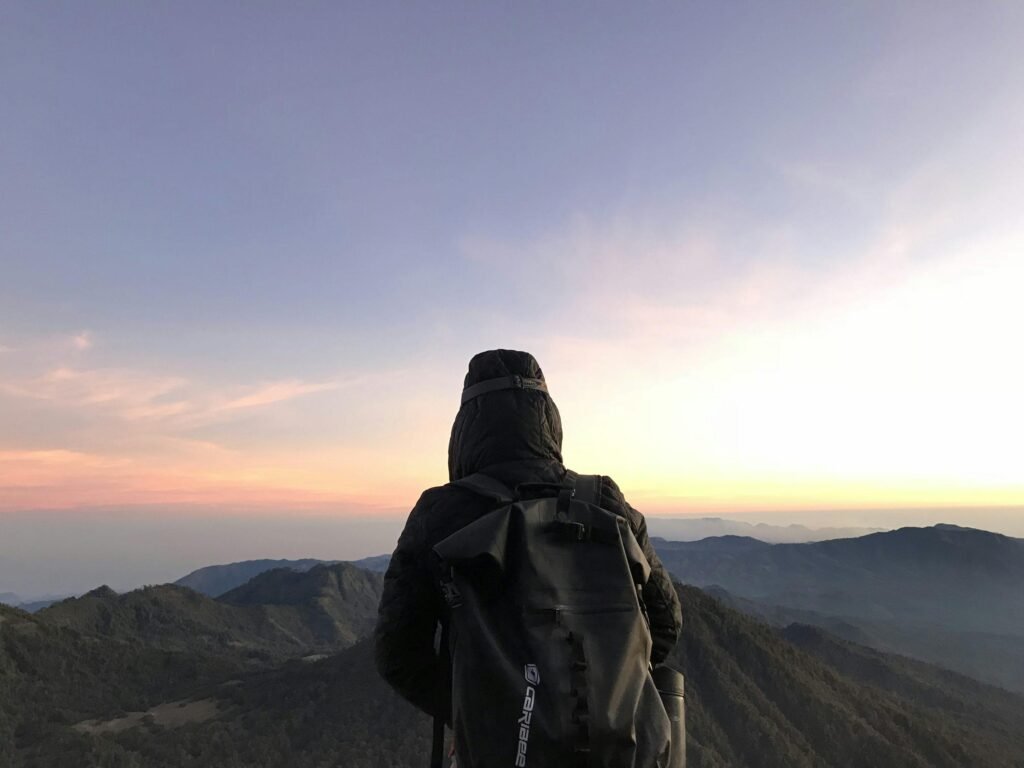
Travel photography is about capturing memorable places, natural landscapes, beautiful light, and meaningful experiences. From mountain adventures to quiet beaches and busy city streets, every destination offers different photographic opportunities.
However, travel photographs do not always look exactly as expected. A beautiful landscape may appear flat, a portrait may contain distracting objects, or the lighting may fail to capture the atmosphere of the original moment.
AI-assisted image editing offers creative ways to improve photographs through written instructions. With carefully designed AI travel photo editing prompts, you can experiment with lighting, color grading, backgrounds, and composition.
The key is to maintain realism.
A convincing travel photograph should preserve natural textures, believable shadows, consistent perspective, and important details from the original image.
In this guide, you will discover 15 copy-paste AI prompts for different travel photography styles, along with practical techniques for achieving natural-looking results.
What Are AI Travel Photo Editing Prompts?
AI travel photo editing prompts are written instructions that describe how an existing travel photograph should be modified using a compatible AI image editor.
These instructions can help communicate visual changes such as:
- Improving natural lighting.
- Adjusting the atmosphere of a landscape.
- Enhancing colors without excessive saturation.
- Removing distracting background objects.
- Refining a travel portrait.
- Creating cinematic visual styles.
- Extending an image’s composition.
- Correcting certain background elements.
For example, a basic instruction might say:
“Make this mountain photo more beautiful.”
A more detailed prompt would be:
“Enhance the uploaded mountain photograph with natural daylight, balanced contrast, detailed clouds, realistic green vegetation, and subtle atmospheric depth. Preserve the original mountain shapes, landscape composition, and identifiable location features.”
The second version provides clearer directions while emphasizing visual accuracy.
However, AI editing models can still produce unexpected changes. Always review the result against the original photograph.
How to Use AI Prompts for Travel Photo Editing
Before using the prompts below, choose an AI editor that supports working with uploaded photographs.
A general workflow is:
- Select an original travel photograph.
- Upload it to a compatible AI image editing tool.
- Copy one of the prompts from this article.
- Adjust the wording to match your scene.
- Generate an edited result.
- Compare the output with the original photograph.
- Check the subject, lighting, background, and important environmental details.
- Refine the prompt if necessary.
- Export the final image at a suitable resolution.
When you want to change only part of a photograph, selective editing can be more reliable than regenerating the entire image.
Adobe explains how selected regions can be modified with text prompts in its official Generative Fill guide.
1. Cinematic Mountain Travel Photo Prompt
Mountain landscapes can look especially impressive when the lighting and atmospheric depth are balanced.
Copy-paste prompt:
“Enhance the uploaded mountain travel photograph with realistic cinematic landscape lighting. Preserve the original mountain formations, terrain, traveler, clothing, backpack, and camera perspective. Improve natural contrast, add subtle atmospheric depth between distant peaks, retain detailed clouds, and use restrained cool shadows with warm sunlight where appropriate. Maintain realistic vegetation and photographic textures. Do not invent mountains, alter geographical landmarks, or change the traveler’s recognizable appearance.”
Best for: Mountain adventures, hiking photographs, and outdoor travel portraits.
Editing tip: Distant mountains should generally appear softer than nearby objects because of atmospheric perspective.
2. Golden Hour Travel Portrait Prompt
Golden-hour lighting can create a warm and relaxed atmosphere.
Copy-paste prompt:
“Edit the uploaded travel portrait with natural golden-hour lighting while preserving the person’s recognizable facial features, hairstyle, clothing, pose, and body proportions. Introduce gentle warm sunlight from a believable direction, soft background highlights, realistic shadows, and subtle warm-neutral color grading. Maintain natural skin texture and accurate environmental details. Avoid excessive orange saturation, artificial glow, or unnecessary facial changes.”
Best for: Outdoor portraits, travel memories, and lifestyle photography.
Editing tip: Make sure the direction of sunlight matches the subject’s visible shadows.
3. Tropical Beach Travel Photo Prompt
Beach photographs benefit from clean colors, natural water textures, and balanced highlights.
Copy-paste prompt:
“Enhance the uploaded tropical beach photograph with realistic natural daylight, balanced ocean colors, soft sand textures, and clear but believable atmospheric detail. Preserve the coastline, people, objects, buildings, and original camera perspective. Improve exposure gently, retain realistic wave patterns, and use restrained turquoise and warm-sand color grading. Avoid unnatural neon-blue water, artificial palm trees, distorted horizons, or changes to identifiable location features.”
Best for: Beach vacations, coastal landscapes, and tropical travel content.
Editing tip: Natural water contains tonal variation and reflections; avoid turning the sea into one flat color.
4. Moody European Street Photography Prompt
Architectural details and atmospheric lighting can create a cinematic street photograph.
Copy-paste prompt:
“Transform the uploaded street travel photograph into a realistic moody editorial image. Preserve the original buildings, street layout, signage, architectural proportions, and recognizable people. Apply restrained cool-neutral color grading, gentle directional lighting, slightly deeper shadows, and realistic urban textures. Maintain accurate perspective and natural environmental details. Avoid inventing landmarks, changing shop signs, or introducing artificial-looking streets.”
Best for: City travel photography, architecture, and urban walking tours.
Editing tip: Protect signs, building details, and street geometry from unnecessary regeneration.
5. Scenic Lake Reflection Prompt
Calm lakes can create beautiful compositions through reflections and surrounding landscapes.
Copy-paste prompt:
“Enhance the uploaded lake landscape photograph with realistic soft daylight and balanced natural colors. Preserve the exact shoreline, mountains, vegetation, water level, and original composition. Improve the clarity of existing reflections without inventing new landscape elements. Add subtle atmospheric depth and natural contrast while keeping the water texture believable. Avoid mirror-perfect artificial reflections, unrealistic sky colors, or changes to identifiable geographical features.”
Best for: Lakeside travel, landscape photography, and nature photographs.
Editing tip: Water reflections should correspond to visible objects and lighting conditions.
6. Rainy Travel Street Prompt
Rain can introduce atmosphere through reflections and softened ambient light.
Copy-paste prompt:
“Give the uploaded urban travel photograph a realistic rainy-day atmosphere while preserving the original architecture, road layout, vehicles, people, and recognizable location details. Introduce subtle wet pavement reflections, gentle overcast lighting, believable water textures, and restrained cool color grading. Keep the lighting direction consistent and avoid distorted reflections, invented street signs, excessive rain, or artificial-looking surfaces.”
Best for: Creative street portraits and atmospheric city photography.
Editing tip: Adding rain changes the documented weather conditions of a scene, so present substantially altered results as creative edits rather than untouched travel records.
7. Natural Forest Adventure Prompt
Forest photography benefits from layered depth, realistic greens, and controlled sunlight.
Copy-paste prompt:
“Enhance the uploaded forest travel photograph with natural woodland colors, soft daylight filtering through existing trees, realistic shadows, and subtle depth between foreground and background vegetation. Preserve the original traveler, trail, tree arrangements, and environmental structure. Maintain natural leaf textures, balanced greens, and believable lighting. Avoid artificial plants, excessive sun rays, oversaturated foliage, or unnecessary background changes.”
Best for: Forest hiking, nature travel, and outdoor adventure photography.
Editing tip: Muted greens often look more realistic than extremely saturated foliage.
8. Desert Travel Photography Prompt
Desert scenes often contain subtle textures and warm earth tones.
Copy-paste prompt:
“Edit the uploaded desert landscape photograph with realistic warm daylight, balanced sand colors, gentle atmospheric haze, and natural contrast. Preserve the original dunes, rock formations, traveler, clothing, footprints, and camera perspective. Improve visible surface textures without altering the landscape’s structure. Maintain believable shadows and a realistic horizon. Avoid excessive orange tones, invented rock formations, or unrealistic sand patterns.”
Best for: Desert adventures, travel portraits, and landscape photography.
Editing tip: Shadow direction is particularly noticeable in open desert environments.
9. Snowy Mountain Travel Prompt
Snow-covered landscapes can be difficult to edit because bright snow and dark objects create strong contrast.
Copy-paste prompt:
“Enhance the uploaded snowy mountain travel photograph with realistic winter daylight, balanced white snow, detailed mountain textures, and natural cool shadows. Preserve the original traveler, clothing, landscape formations, buildings, and camera viewpoint. Recover visible snow detail where possible while keeping the scene crisp and believable. Avoid blue-tinted snow, artificial snowfall, invented terrain, or excessive sharpening.”
Best for: Winter travel photography, ski destinations, and mountain adventures.
Editing tip: Snow is not always pure white in shadow, but excessive blue coloring can look unnatural.
10. Sunset City Skyline Prompt
City skylines can create dramatic travel photographs when highlights and silhouettes are balanced.
Copy-paste prompt:
“Enhance the uploaded city skyline photograph with realistic sunset color grading, controlled highlights, detailed clouds, and believable building silhouettes. Preserve the original skyline, recognizable landmarks, architecture, and camera perspective. Use subtle warm highlights and cool shadows while keeping natural atmospheric depth. Avoid inventing skyscrapers, modifying famous buildings, replacing signage, or introducing unrealistic sunset colors.”
Best for: Skyline photography, travel journals, and evening city scenes.
Editing tip: A good sunset edit preserves the recognizable shapes of buildings.
11. Luxury Hotel Travel Photo Prompt
Hotel photography benefits from balanced interior lighting and accurate room details.
Copy-paste prompt:
“Enhance the uploaded hotel interior photograph with realistic professional architectural photography lighting. Preserve the exact room layout, furniture, windows, decorations, materials, and proportions. Balance indoor exposure, correct unnatural color casts, improve natural texture, and maintain accurate perspective. Create a clean premium appearance without redesigning the room, adding nonexistent amenities, changing furniture, or altering architectural details.”
Best for: Hotel reviews, accommodation photography, and travel blogs.
Editing tip: If the photograph is being used to represent a real accommodation, avoid edits that mislead viewers about its facilities.
12. Waterfall Nature Photography Prompt
Waterfalls provide movement and texture that can make a landscape photograph visually interesting.
Copy-paste prompt:
“Enhance the uploaded waterfall photograph with realistic natural forest lighting, detailed flowing water, balanced rock textures, and believable surrounding vegetation. Preserve the original waterfall location, water direction, landscape structure, and camera perspective. Improve tonal balance and atmospheric depth while keeping realistic water motion and natural greens. Avoid inventing new waterfalls, changing the terrain, or creating artificial glowing water.”
Best for: Waterfalls, nature travel, and outdoor landscape photography.
Editing tip: Preserve the original character of the water instead of automatically making every waterfall look silky smooth.
13. Minimal Travel Café Prompt
Café photography can communicate local atmosphere and everyday travel experiences.
Copy-paste prompt:
“Edit the uploaded café travel photograph with realistic soft window light, warm-neutral colors, balanced contrast, and natural interior textures. Preserve the actual furniture, food items, drinks, décor, visible text, and architectural layout. Improve exposure and subtle background depth while keeping the environment authentic. Avoid changing menus, inventing food items, redesigning furniture, or creating unrealistic reflections.”
Best for: Café visits, food travel blogs, and lifestyle photography.
Editing tip: Keep food and drink appearances accurate, especially when documenting a real business.
14. Travel Couple Portrait Prompt
Travel couple photography often works well with natural expressions and softly detailed backgrounds.
Copy-paste prompt:
“Enhance the uploaded travel couple portrait with realistic natural daylight, gentle warm color grading, and a softly detailed environmental background. Preserve both people’s recognizable facial features, expressions, hairstyles, body proportions, poses, and original clothing. Maintain believable skin texture, consistent shadows, and natural photographic depth. Avoid changing faces, modifying body shapes, inventing accessories, or making the environment look artificial.”
Best for: Couple travel photographs, holiday memories, and lifestyle albums.
Editing tip: Check both faces carefully; multi-person images may be more challenging for AI editing tools.
15. Natural Documentary Travel Photography Prompt
Not every travel photo needs cinematic effects. Sometimes the most useful edit simply improves exposure and clarity while preserving reality.
Copy-paste prompt:
“Make subtle professional photographic corrections to the uploaded travel photograph while preserving the original location, people, buildings, objects, weather, and composition. Improve exposure, white balance, shadow visibility, and natural color balance without adding or removing meaningful scene elements. Retain authentic textures, realistic lighting, and recognizable geographical details. The final result should look like a carefully edited genuine photograph rather than a newly generated scene.”
Best for: Travel blogs, documentary photography, and authentic travel memories.
Editing tip: Use minimal corrections when the photograph is meant to accurately document a real place or event.
How to Write Better AI Travel Photo Editing Prompts
The quality of an AI editing result depends partly on how clearly you describe the intended changes.
A practical prompt structure is:
Original Photograph + Editing Goal + Lighting + Colors + Environment + Preservation Instructions
For example:
“Enhance this mountain portrait with natural morning light, balanced contrast, realistic blue sky, and subtle atmospheric depth. Preserve the traveler, mountain shapes, clothing, and original composition.”
This tells the editor what to improve without encouraging unnecessary changes.
Start With the Existing Scene
Describe the actual photograph rather than requesting a completely unrelated environment.
Be Specific About Lighting
Use descriptions such as soft morning light, overcast daylight, warm sunset illumination, or natural window light.
Keep Colors Realistic
Use words such as restrained saturation, balanced white balance, and natural tonal contrast.
Preserve Important Details
Explain that landmarks, faces, clothing, and architecture should remain unchanged.
Edit Selected Areas When Possible
If the sky needs correction but the landscape looks good, selectively edit the sky rather than regenerating the entire photograph.
Adobe provides further guidance in its Generative Fill photo editing tutorial.
How to Make AI Travel Photos Look Realistic
Realistic travel editing depends on several important details.
Maintain Accurate Perspective
Buildings, roads, mountains, and people should fit naturally within the photograph’s original camera angle.
Keep Natural Shadows
Sunlight and shadows should appear consistent throughout the scene.
Preserve Realistic Textures
Water, trees, clouds, skin, sand, and stone should retain believable detail.
Avoid Invented Landmarks
If you are photographing a real destination, avoid generating buildings, mountains, or attractions that do not exist there.
Control Saturation
Excessively bright skies, neon-blue water, and oversaturated greenery can make an image look unrealistic.
Review People Carefully
AI may change facial features, hands, clothing, or body proportions.
Compare edited people with the original photograph.
Use Selective Editing
Changing only the necessary areas can help preserve the overall composition.
For supported workflows, Adobe’s reference image guidance explains how references can guide generated changes.
Common AI Travel Photo Editing Mistakes
Changing the Original Destination
Replacing recognizable geographical features can make a travel image misleading.
Fix: Preserve the original location and edit only the intended visual elements.
Making Colors Too Bright
Excessively saturated landscapes may look artificial.
Fix: Use moderate color adjustments.
Unrealistic Cloud Formations
Generated skies may contain unnatural patterns or lighting.
Fix: Preserve the original sky where possible or use restrained selective edits.
Changing People’s Faces
Some image models reinterpret faces during editing.
Fix: Protect the subject area and compare the result with the source photograph.
Mismatched Lighting
A subject illuminated from one side may look unnatural against a background lit from another direction.
Fix: Match light sources and shadow direction.
Distorted Architecture
AI can modify windows, signs, streets, and building proportions.
Fix: Avoid regenerating architectural details that need to remain accurate.
Overusing Cinematic Effects
Heavy haze, grain, blur, and contrast can overwhelm the photograph.
Fix: Focus on improving the existing image rather than adding unnecessary effects.
AI Travel Editing vs. Lightroom Presets
AI editing and Lightroom presets offer different ways to improve travel photographs.
AI photo editing can selectively modify backgrounds, objects, lighting, and other visual elements depending on the application’s capabilities.
Lightroom presets apply saved editing adjustments such as contrast, tone, and color grading.
For example, a Lightroom preset may be enough to improve the warmth of a sunset photograph.
An AI editing tool may be more suitable when you need to remove a distracting object or change a particular part of an image.
Both approaches can be useful when applied thoughtfully.
To learn more about consistent photography styles, visit the Presets category.
Responsible AI Editing for Travel Photography
Travel photos often document real places, people, businesses, and experiences.
It is important to distinguish between creative illustrations and accurate documentation.
If you substantially change the weather, buildings, landmarks, or people in an image, the result may no longer accurately represent the original location.
For travel guides, accommodation reviews, and destination information, avoid using altered images in ways that could mislead readers.
You should also obtain appropriate permission before editing or publicly sharing photographs of other people.
When using stock photography, review the applicable image license and restrictions.
Best Image Sizes for Travel Photography
The ideal image dimensions depend on the intended platform.
| Purpose | Suggested Size |
|---|---|
| Blog featured image | 1200 × 675 px |
| Instagram portrait post | 1080 × 1350 px |
| Instagram square post | 1080 × 1080 px |
| Vertical story | 1080 × 1920 px |
| Website landscape image | 1600 × 900 px |
These are practical starting dimensions rather than universal requirements.
Keep a high-resolution copy of the original photograph before making major edits.
Frequently Asked Questions
What are AI travel photo editing prompts?
They are written instructions used with compatible AI image editors to modify travel photographs, including their lighting, colors, backgrounds, and atmosphere.
Can I use these prompts on mobile?
Yes, if your chosen mobile application supports editing uploaded photographs with text instructions.
Which AI prompt is best for mountain photography?
A prompt emphasizing natural daylight, accurate mountain formations, subtle atmospheric depth, and realistic landscape colors is a good starting point.
Can AI improve a travel photo without changing the location?
Yes, some editing tools can adjust selected areas while preserving the overall scene. However, results must be checked for unintended changes.
Why do AI travel photographs sometimes look fake?
Common causes include incorrect lighting, distorted architecture, unrealistic landscapes, excessive color saturation, and inconsistent perspective.
Can AI change the weather in a travel photo?
Some image tools can create different weather conditions. However, changing the weather can make an image misleading if it is presented as documentary photography.
How can I preserve my original face in AI travel photos?
Use identity-preservation instructions and selective editing controls where available. Always compare the result with the original image.
Are AI travel photo prompts free to use?
The text prompts in this article can be adapted freely, but the image editing tools you use may have subscription, credit, or usage limits.
Can I use AI-edited travel images for my blog?
Generally, you can use images when you have the necessary rights and comply with the editing tool’s terms. Avoid misrepresenting locations, businesses, or real experiences.
Are Lightroom presets better than AI travel editing?
Neither is always better. Presets are useful for consistent color adjustments, while AI editing can support selected content changes.
Final Thoughts
AI travel photo editing prompts can help photographers and content creators explore new ways to improve their images.
Whether you are editing mountains, beaches, streets, forests, or sunset portraits, the most convincing results usually preserve the original photograph’s important details.
Start with a clear image, choose a suitable prompt, and describe the desired lighting, colors, and atmosphere carefully.
Review the edited result for realistic shadows, accurate perspective, natural textures, and recognizable locations.
Most importantly, use AI as a creative editing assistant rather than allowing it to replace the authenticity of your travel memories.
For more prompt ideas, visit the AI Prompts category on Daily Inspiration.
You can also explore the Presets category and Backgrounds category for more photography editing resources.